Getting Started
Mine a Mountain by 10K Steps is an incremental Roblox game: mine crystals, sell for cash, buy upgrades, climb higher on a procedural mountain, repeat. New peak every hour via hourly rotation.
First steps: redeem codes, learn controls, like the game for +1 Digging Luck per luck guide. Watch the video above for visual spawn-to-upgrade flow.
Core Loop Explained
Mine nodes with your pickaxe, fill inventory, sell at base, purchase warmth pickaxe or backpack tiers. Warmth gates altitude—read how to not freeze early.
Progress Base Camp → Mid Slopes → High Ridge → Summit using walkthrough structure. Early game covers first hour in detail.
What to Learn Next
After basics pursue money fast, reach summit, and upgrade priority.
Track updates on Trello and use calculator before big purchases.
Pro Tips for How to Play Mine a Mountain
Experienced Mine a Mountain players revisit active codes and Trello updates after every patch by 10K Steps. Balance changes to crystal sell values or warmth drain can shift whether your current route still beats the crystal tier list rank you are farming. Run a ten-minute scout on each hourly mountain rotation before spending long warmth timers on summit paths that yesterday's map no longer supports.
Digging Luck from liking the game and redeeming boost codes remains the fairest edge for rare crystal income. Coordinate with friends so everyone mines during the same luck window rather than solo grinding lower zones while boosted. Pair luck sessions with backpack upgrades so each rare vein fills inventory worth selling at listed prices.
Common Mistakes to Avoid
Overspending on pickaxe tiers before warmth unlocks your target altitude zone is the most common progression trap. Follow upgrade priority and early game milestones until High Ridge or Summit Approach is warm-safe. Another mistake is ignoring PC or mobile efficiency—slow mining wastes pickaxe investment even at Steel or Crystal tier.
Endgame players loop summit runs on fresh hourly layouts, sell full bags of epic and legendary crystals, and reinvest toward Diamond Pickaxe and Summit Carrier per money farming guide. Summit access requires Arctic Gear at minimum; Summit Explorer warmth turns peak farming from timed sprints into steady income for mythic Aurora Crystal hunts.
Stay clear of exploit scripts that promise auto-mining. They risk Roblox bans and break on warmth and rotation mechanics. Legitimate speed comes from pickaxe order, freeze prevention, and hourly mountain timing. New players should start with how to play before pushing advanced rare routes on rare crystal guides.
Session Planning Checklist
Before each Mine a Mountain session, redeem any new promo codes, confirm your upgrade goals in the calculator, and note the hourly timer on mountain rotation. Warm up on a short Mid Slopes or High Ridge loop to test controls responsiveness before committing Arctic Gear or Summit Explorer warmth to a long summit push.
During the session, sell crystals at regular intervals rather than hoarding commons while chasing one epic—cash flow funds the next warmth or pickaxe tier faster than lottery rare spawns. After selling, cross-check upgrade priority and buy the highest-ROI tier you can afford. End sessions by scouting the next hour's layout if the timer is under fifteen minutes so you start the following rotation with a plan.
Video Walkthrough
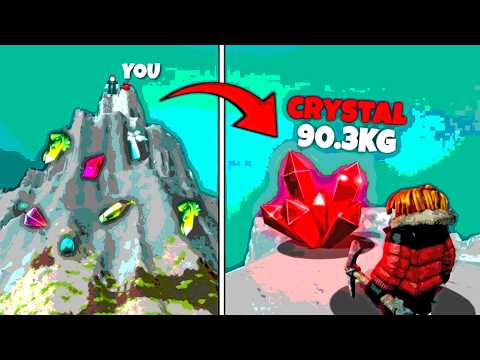
Click to load: How to Play Mine a Mountain